Posts

Showing posts with the label Silver Efex

Running... Again?

Image
  If you know me you know there was a time about 10 years ago or so where I was running. A lot. At least 5 days a week and at least 5 miles a run. I wasn’t training, I wasn’t preparing for a race or a marathon. I just found myself enjoying the time spent running. I wasn’t obsessed with numbers, but I kept track of them all and liked seeing improvements in time and distances. It was good physical health and mental health. Then I tweaked my knee. Not bad enough that I couldn’t walk on it, just a tweak that told me I needed to back off of running for a little bit. So I decided on 2 weeks. At the end of 2 weeks I aborted a run very early as the pain was still there. 2 weeks became 3, became a month, became 5 years. 

Putting It All Together

Image
Cool barn Recently a friend of mine shared with me some really great faux color infrared photos. Though he didn't know it the shots bummed me out because the quality of them were something I wouldn't be able to mimic until I permanently alter a camera to only shoot in the infrared spectrum. My main problem with how I shoot IR is that due to the very long exposure times I get so much blur that I can't stand looking at my own photos. So I decided to try and challenge myself and shoot trying to minimize the biggest weakness of my setup, blur. On this really bright and sunny day (the same day I shot this panorama ) trees were ruled out because there was a slight breeze. Bushes were ruled out for the same reason. But a field seemed to do the trick. A field with a barn in it worked even better. Still trying to figure out just how to expose for IR I did a couple things different. First I set a custom white balance on the grass, with the IR filter on my lens. Then I put the...

Graffiti Reflection

Image
Graffiti Reflections Still water, morning clouds and fog burning off, and morning make for some great reflection shots. The same bridge as featured for week 44  is shown here a little bit later from a different position. I had planned on this being an HDR image so took my usual five exposures. Post processing wise I used a relatively new program Topaz Labs PhotoFX Lab, which allows me to work with layers, and to use their different plugins in one easy to run session. I wanted to make sure I brought out detail in the bridge and sky, but didn't have that same detail come out in the water reflection. So in PhotoFX Lab I ran the whole photo through Adjust and Detail, then masked out the water from that version with the original version. I think it worked out pretty nicely.

Week 45 GPlus Project 52 Halloween

Image
Gas station Halloween The theme, unsurprisingly, was Halloween for this past week. I knew what I wanted to shoot, but was disappointed that the night shot I was originally planning wasn't going to pan out. Plan B was a day shot, but the day was a very dull flat grey day. So I had to go to some extremes with the post processing. I brought the color back for the rotating jack-o-lantern, something I don't normally like doing as I feel it's very gimmicky, and a crutch for bad composition. As if you needed a neon sign to point your eye to the thing you want it to look at. Yes, it still does that here, but if I'm going be the rule of thirds, it's composed decently. I then went overboard on the contrast and detail settings in Silver Efex Pro so I could get something  from the flat grey clouds. Finished it off with a vignette and it didn't turn out all that bad. As an added scare, check out the gas prices! You can view this, and the rest of my Project 52 photos h...

Week 42 GPlus Project 52 Black & White

Image
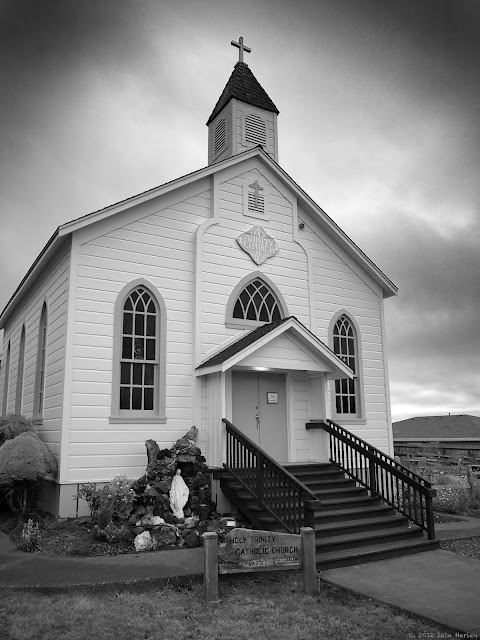
Trinity Church Our theme for week 42 was an easy one for me, black & white. The difficulty was finding a good  subject for it. Immediately a couple came to mind; one I have shot before, the Trinidad Memorial Lighthouse, just not with the intention of converting to black & white, and one I've seen from a distance but never up close. Luckily they were both in the same town so I thought I could do both and choose which I liked better. It turns out that there are only so many ways to shoot the lighthouse, and I wasn't seeing anything which interested me, so I went in search of subject number two, a small church in town. This town is very small and for the life of me I couldn't find it, but thanks to Google I was able to locate and get some shots done before the sunset entirely. I lucked out with the clouds thinning in areas to give a little more contrast in the background.

Week 38 Fall GPlus Project 52

Image
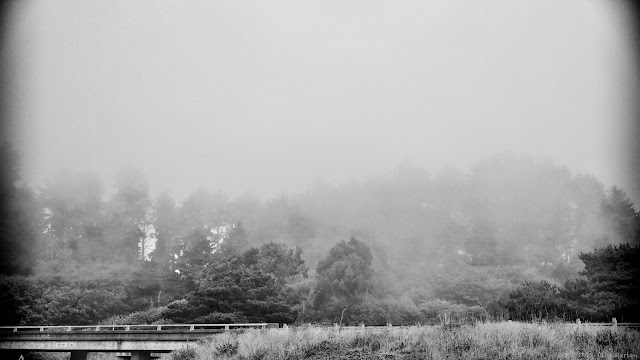
With fall coming, so comes the fog Our assignment this past week was fall/spring (depending on your chosen hemisphere) and I really thought the timing was pretty bad. It's just too early to start seeing the usual signs of fall; leaves changing color, leaves falling, or bare tree so I really didn't know what to do. But then the fog appeared, making everything else disappear. Photo was originally going to be color but, as fog will do, the color were very subdued and not all that pleasant to look at. Thought I'd give it a go with Silver Efex Pro 2 and liked the results better. You can view this, and the rest of my Project 52 photos here .

The Victorian Inn

Image
Have I mentioned I really like black and white? This is the Victorian Inn at Ferndale. It's a 5 shot HDR that looked quite good in color, but as I'm considering posting a weekly black and white shot thought I'd see how it looked in monochrome. The clouds, which were ok in color, just really jumped and the intricacies of the hotel architecture were more apparent. And since the building is from a time when color photographs were a rarity the black and white treatment seemed to fit. The process: HDRing in Photomatix Pro, then taking the color version to Topaz Labs Adjust. Did some levels and other work in Aperture then finished off in Silver Efex Pro II. The Victorian Inn

A Shot From Curiosity on Mars?

Image
I'm finding shooting in infrared to be fun, but it requires some new skills (and programs) to get the results I'm looking for. Some of these hurdles to work through are things that with my current setup I can't fix. Infrared photography on a standard color camera requires an IR filter and longer exposures times which will usually end up with softer photos, at best, or blurry shots. Working on the final "faux" color look required using a program that had more involved editing tools than Aperture or Lightroom have available to them. Even Photoshop Elements 10 didn't have a color mixer which allows me to switch colors. So after some suggestions I settled on the very wonderful Pixelmator, and have added Topaz Labs' PhotoFXLab. So what I have here is an outline of how I worked this IR shot. The original out of camera shot. The shot specifics are an aperture reading of 3.5 ("wide open" for my lens) and an ISO of 400 to help minimize the exposure time...

The Nail That Sticks Out... (Photocentric)

Image
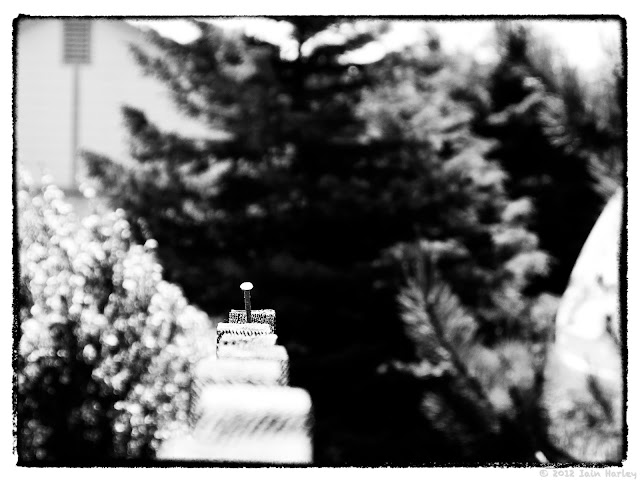
... gets hammered down" or so the Japanese proverb says. I'm not going to get into what the meaning of this is on society, but it was the first thing that came to mind when looking at this shot. Though technically it doesn't fit, as there are no other nails in the shot. At first I thought this shot might be a throw away; a lot of colorful elements distracting from the subject of the photo, but with such a simple subject sometimes less is more. Played around in Silver Efex to get the right tone for the black and white conversion, and I'm pretty pleased with the shot. Click to see larger

Popular posts from this blog

Running... Again?

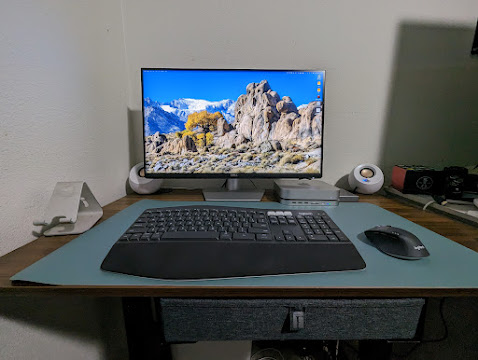
The Pros and (Mostly) Cons of Upgrading to a 4K Monitor